CatgirlClient
A cosy Minecraft launcher that's actually cute. Play any version, add mods in one click, and dress the whole thing up in your colours.
Free for Windows 10 and 11. You need Minecraft: Java Edition.

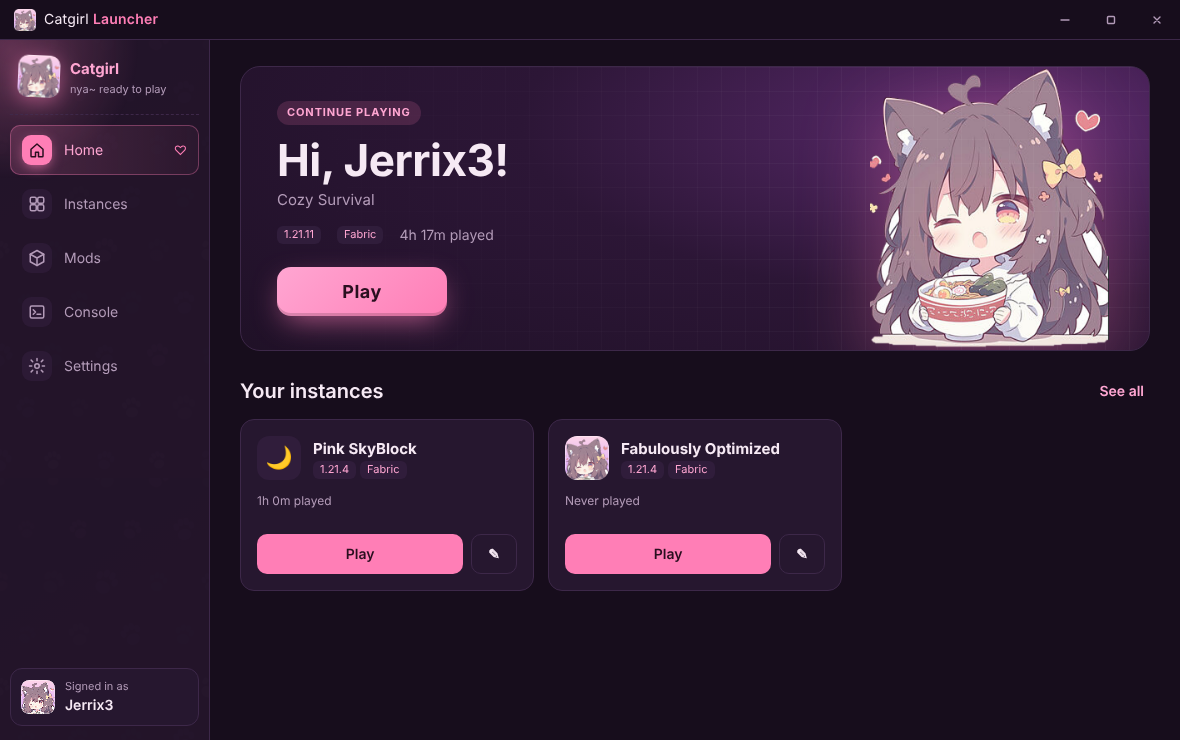
Everything a cosy launcher needs
Built for players who want Minecraft to feel like theirs, from the launcher all the way to the title screen.
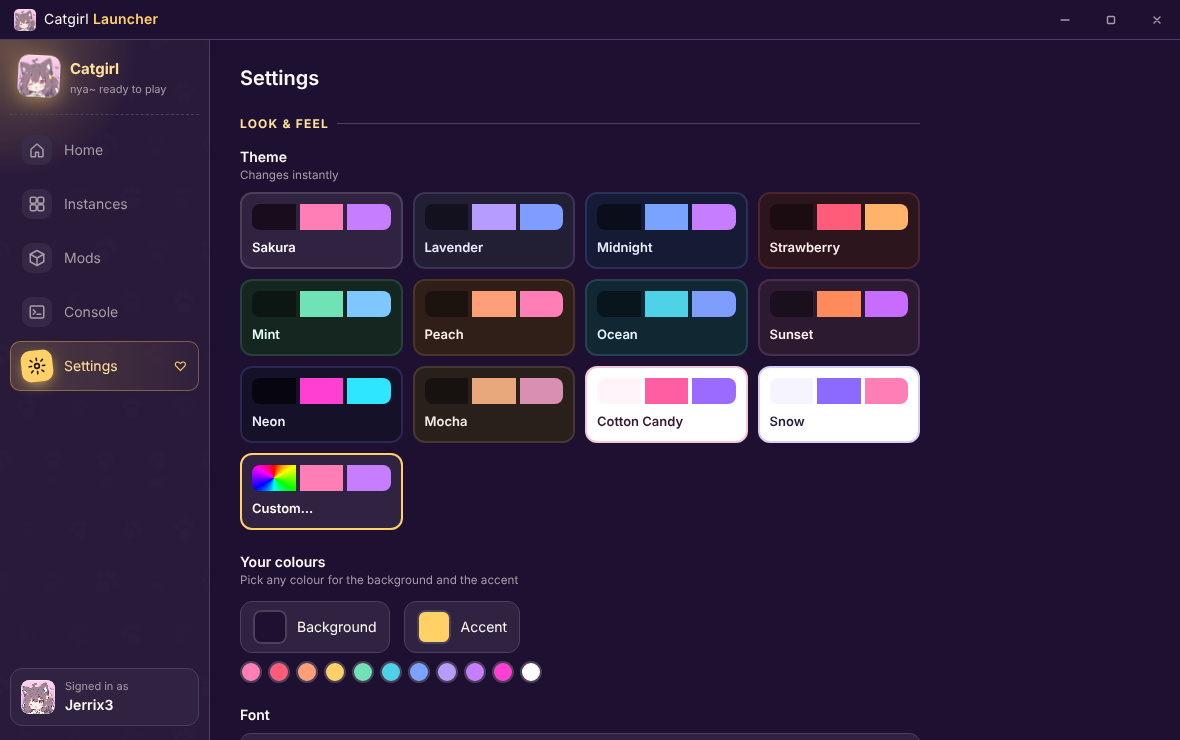
Make it yours
Twelve themes, or pick any colour you like. Add a background, choose a font, and move the menu wherever feels right.
- Custom colour picker for background and accent
- Built-in catgirl art, your own picture, or any image link
- Cute fonts, or any font on your PC
- Menu on the left, right, top or bottom
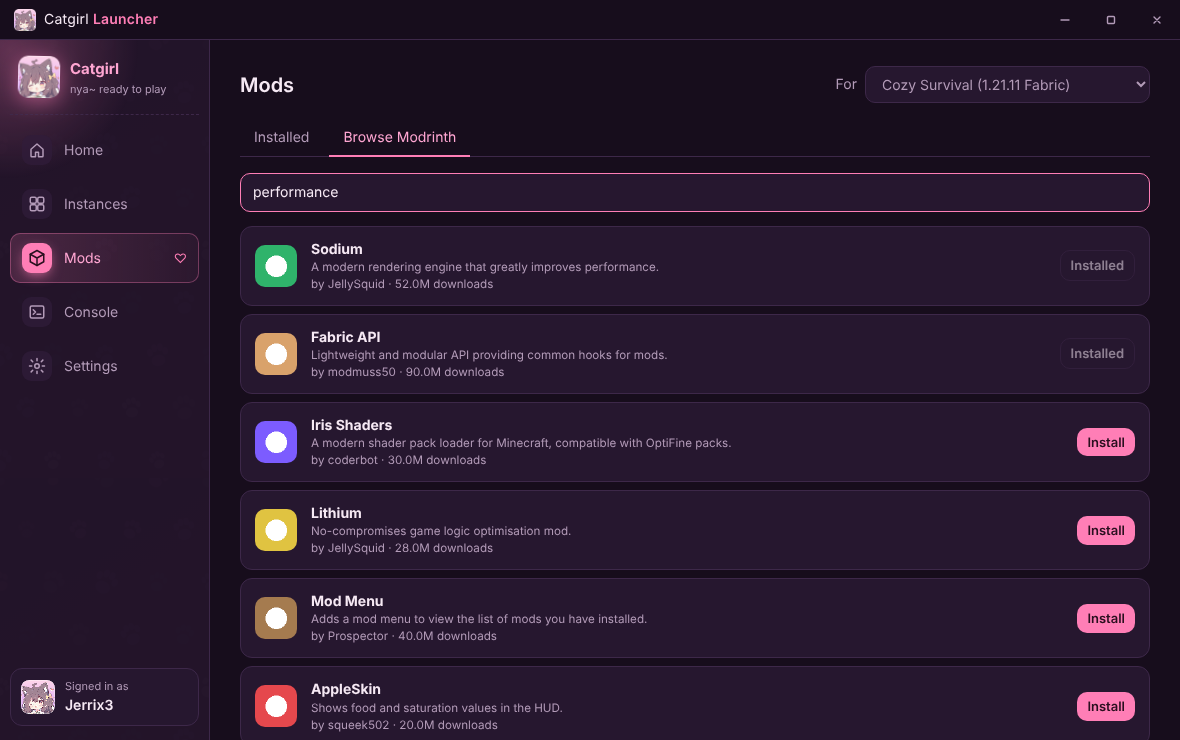
Mods in one click
Search Modrinth from inside the launcher. You only see mods made for your instance, and anything they need comes along too.
- Every Minecraft version, Vanilla or Fabric
- Whole modpacks in one click
- Change version and your mods update to match
- Java downloads itself, so there's nothing to set up
Cute in-game too
Fabric instances get the CatGirl title screen: your name in the corner, a quick menu, and a catgirl fact in the yellow splash text every time.
- Wardrobe: find a skin, click Download, wear it in one click
- Every skin you've worn is saved, so you can switch back
- Over 90 catgirl and cat facts
- The game window is called CatGirl Client
- Your controls, FOV and server list follow you to every instance
Your friends will see it
Discord shows what you're playing, which server you're on and for how long, with a button so friends can grab the launcher too. It keeps going even if you close the launcher.

Minecraft 1.21.11 / Fabric
01:24:09
Up and running in a minute
No setup, no Java, no fuss.
- Download
Grab the installer with the button above and open it. If Windows says "Windows protected your PC", click More info, then Run anyway.
- Sign in
Add your Microsoft account. The launcher shows a short code; type it on Microsoft's page and you're in.
- Make an instance and play
Pick a Minecraft version, choose Fabric if you want mods, and press Play. The first launch takes a few minutes.
You'll need Windows 10 or 11 and a Microsoft account that owns Minecraft: Java Edition. Updates install themselves.